 kitio.ai
 Nishant Tiwari
Make your own Jarvis
One prompt for Claude Code builds a voice assistant on your computer. It reads your email and calendar and tells you about your day every morning.
The prompt
Hi Claude. Please help me make my own Jarvis on this computer.

I want a Jarvis that:
- runs on my own computer
- talks to me in a real human voice (using ElevenLabs)
- can read my email, calendar and other apps
- tells me about my day every morning

Use this free tool to build it:
OpenJarvis — https://github.com/open-jarvis/OpenJarvis
Help pages — https://open-jarvis.github.io/OpenJarvis/

IMPORTANT: I am not technical. Please explain everything in very simple
words, like you are talking to a friend. Short sentences only.
How to use it
- 1
Download Claude Code and open it
- 2
Copy the full prompt below
Tap Copy full prompt. It asks you to sign in with Google first (free).
- 3
Paste it into Claude Code and press Enter
- 4
Answer Claude's questions
Claude does the rest, one step at a time.
- 5
When Claude asks for your ElevenLabs key
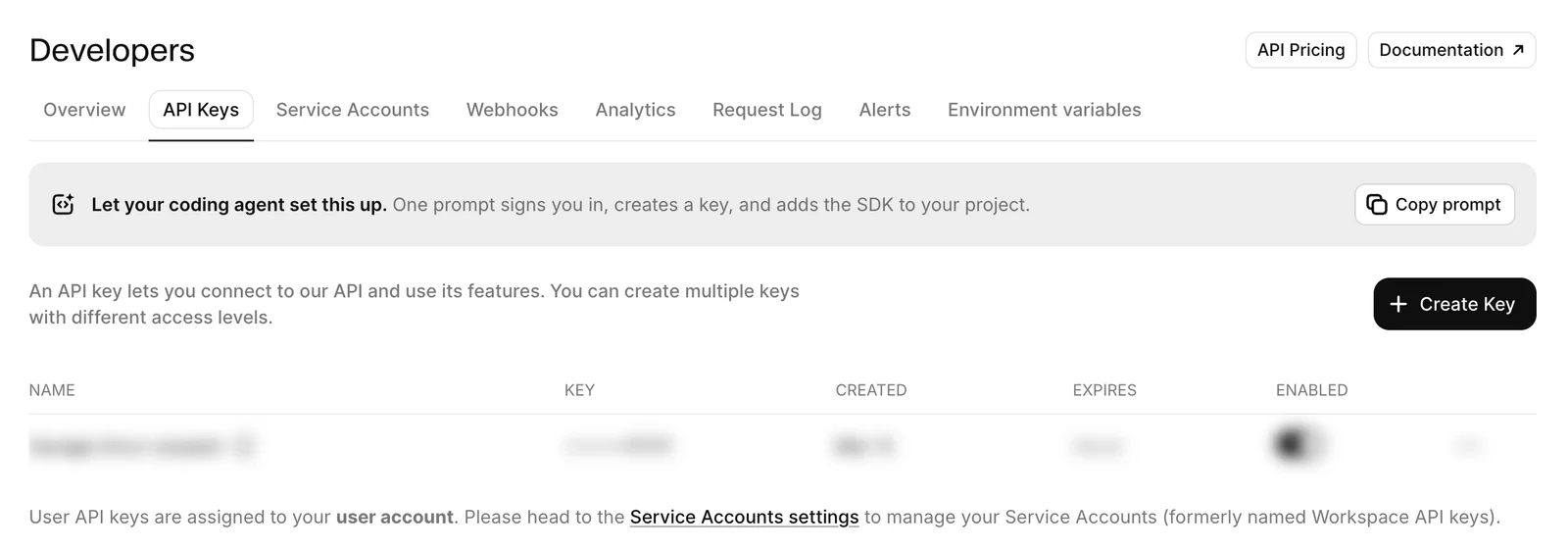
Log in to ElevenLabs (or sign up), go to Developers → API Keys, and click Create Key.
- 6
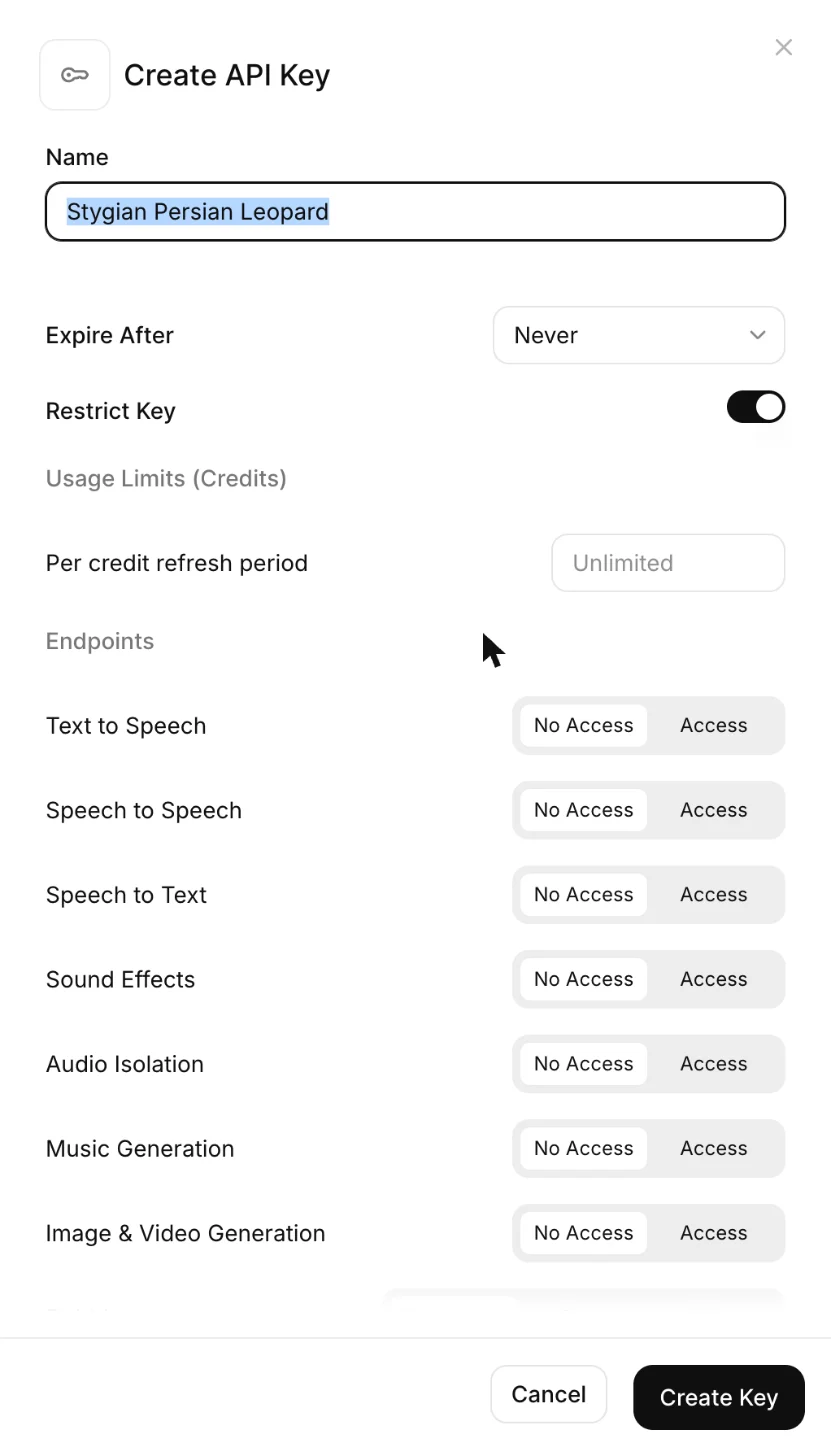
Create the key and paste it to Claude
Give it any name. Set Text to Speech and Speech to Text to Access, then click Create Key. Copy the key and paste it to Claude. Don't share it with anyone else.
Good to know
- Jarvis always asks you before it sends, deletes, buys or posts anything.
- Talk to Claude in English, Hindi or Hinglish. It answers in the same language.
- Never share your ElevenLabs key with anyone except Claude.